
DCAI, VDRPro, FCAI Product Enhancements
DealCentre AI
- Q&A – Buyer Question Visibility
In an effort to prevent duplicate questions and increase awareness, Buyers can now see proposed questions from members of their permission group.
- Q&A “Action Status” Column
A status column is now available to Q&A Admins and Sell side SMEs to capture (and filter) the workflow status of a question (Delegated, Proposed or Follow Up) – NOTE: This is in addition to the status column visible to all personas which shows the status of the question itself ( Answered, Unanswered or Closed)
- Redaction improvements
When documents are redacted, a suffix like “_Redacted” can be added for clarity. You can now bulk unredact files and remove tags, and you’ll see real-time progress updates for redaction jobs so there’s no guessing about job status.
- Buyside Workflows
Buy-side M&A teams, like corporate development and private equity firms, often lead deals where they manage the diligence process. Previously, buyers lacked a purpose-built platform to efficient manage the process. We’ve now introduced a DealCentre AI experience that reflects their role as the driver of diligence and decision-making.
- DealCentre – AI Assisted Support Chat
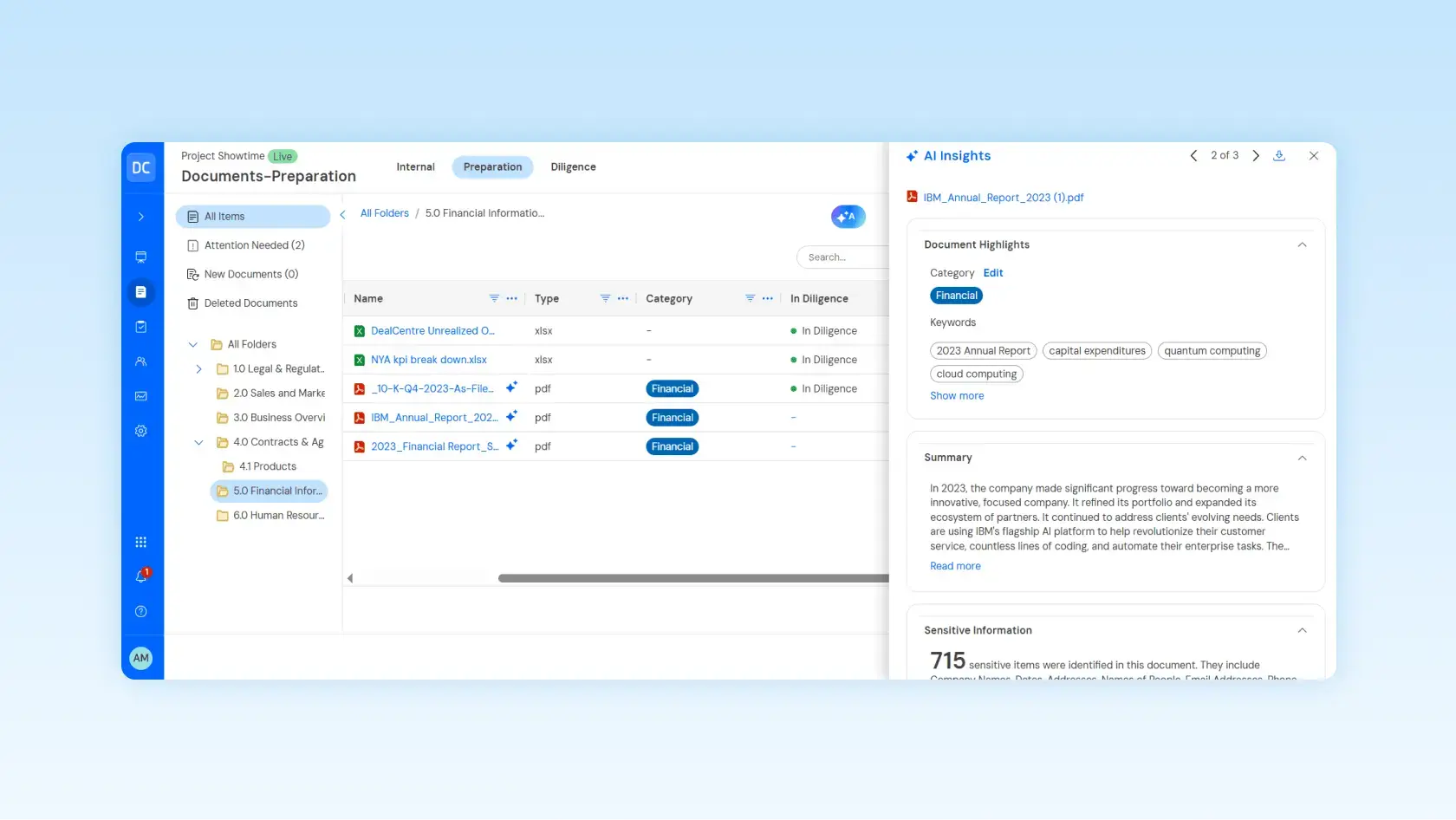
Our AI-powered chatbot is now available in DCAI, offering instant, accurate answers from the DCAI knowledge base. If users need more help, they can request to connect with a live agent.
We’re adding role-based AskLink access for Buyers and Sellers, with a dedicated “Buyers” section in AI settings. Buyers can use all Ask Link features – chatting across accessible documents, document-specific questions, copying answers, exporting and Excel imports – with access limited to authorized documents. Advisors and Seller Admins have easy master switches and buyer-level controls for each Link AI feature.
- Link AI Feature Status at the Deal Level
We’ve introduced Link AI status indicators to signal when Link AI is Off or Partially off. Providing Buyers, Sellers and Advisors with immediate visibility into which Link AI features are available.
- AskLink and the upcoming AI Insights will support all user profile languages except Russian
Supported languages include Japanese, Simplified Chinese, Dutch, Turkish, Korean, Swedish, Greek, Polish, plus non-profile languages: Hebrew, Arabic, and Traditional Chinese. Inquiries in these languages will be answered accordingly. (Note Previous documents were limited to English, French, German, Italian, Portuguese and Spanish)
- AI DRL Enhancements
Enhanced visibility into the status of document requests pending review: We have implemented a “Not Started” Link AI review status across the grid column, column filters, and details panel. This update allows users to immediately identify unprocessed documents, filter for outstanding items, and assists teams in efficiently prioritizing which document requests require attention next. We’ve also added a Display of the count of requests with matched documents identified by Link at the top of the document request page. This provides users with a real-time view of AI coverage to identify gaps and target reviews where they’re needed.
- Extended Seller Admin Capabilities
Build a user-friendly permissions panel that allows toggling of group-level settings for Seller Groups:
- Analytics:Grants access to the Analytics and Reports tab and visibility into deal-wide analytics.
- Diligence:Allows users to publish or unpublish files.
- User Management:Provides full access to the People page, including the ability to create new user groups.
- Manage Access:Enables permission management for both Buyer and Seller groups.
- “Add co-advisors”
Many large M&A deals have more than one advisor, we’ve now enabled the Lead Advisor (the firm that has the DC Subscription) the ability to create a new group for a co-advisor which will have access to most features (i.e. documents, reporting, document requests) they won’t be able to add contacts for Marketing or make changes to the deal admin team.
- Permission Page Improvements
Easier to manage perm permissions in bulk—across multiple rows and columns—and copy permissions from one group to many in a single step.
- Q&A – Buyer Question Visibility
In an effort to prevent duplicate questions and increase awareness, Buyers can now see proposed questions from members of their permission group.
- Q&A “Action Status” Column
A status column is now available to Q&A Admins and Sell side SMEs to capture (and filter) the workflow status of a question (Delegated, Proposed or Follow Up) – NOTE: This is in addition to the status column visible to all personas which shows the status of the question itself ( Answered, Unanswered or Closed)
- Q&A Follow Up
The question thread has been expanded to allow Buyers to submit a single follow-up question, which Q&A Admins may address. This feature is available only while the original question remains open. Upon response, both the follow-up question and its answer will be incorporated into the same question thread.
- Page Count Report
We've added the Page Count Report in the reports screen to improve billing transparency and help Advisors manage client costs. Now, clients can view page count details directly in the UI without exporting reports. Support teams with ILAdmin access can also quickly check page counts without requesting the client to provide an export.
- Drag & Drop Intuitiveness - Directly into the Folders / Documents View
Clients can now drag and drop files directly into the Documents tab to upload content, affecting both Internal and Preparation areas.
- DealCentre iOS
We've updated the mobile UI and workflows to match Intralinks' core branding, offering a clean, modern look that's easier to use. The mobile app also now includes Link Insights
VDRPro
- Simplified Usage Reports for M&A Use Cases
We have combined the usage reports for M&A use cases, now displaying exchange-level usage on the Insights and Reporting usage tab. Exchange usage is presented with billing-metric-aligned data (including pages and storage). Additionally, statistics about user roles are provided, featuring complete user counts and a breakdown by role. There is also an indicator showing when the data was last updated. This simplifies the experience for clients trying to monitor their contract usage. (Like 1H will cover non- M&A reporting – will know for sure by EOM).
- Document Analyzer – Expanded Coverage
Document Analyzer now flags files with MSFT Sensitivity labels for attention, displays IRM provider types (IL IRM, MSFT IRM, third-party), and identifies documents as having invalid signatures when a document is modified after signing.
- Permission Overrides in Bulk
Advisers can now revert overrides in bulk for an entire buyer group and for a folder or document across all buyer groups. (Resulted from direct feedback from Exxon as well as other VDR clients).
FundCentre
FundCentre Onboarding
- User Defined Fields
Enable GP Admins to define up to 20 custom fields focusing on Investor and Regulatory objects with configurable data types and validation rules. This enables GPs to customize the LP view to more closely align with their subscription documents, minimizing the number of manual entry fields LP users must complete.
- Easy Link to Preview Reference Documents
GPs now make key documents like the Ltd Partnership Agreement and Private Placement Memorandum available in one location, so LPs can quickly access details on fees, strategies, risks, and investments when subscribing. This streamlined approach replaces emails and static links, simplifying onboarding and saving time. (NOTE: GPs can upload (publish/unpublish) these reference documents and associate them with a given fund. Once published, a reference document is available to all LP users associated with the given fund from the reference documents button at the top of their Onboarding Task Screen)
FundCentre Fundraise
- GP Portal – Activity Log Enhancement GP
Users can now filter activity logs by creator company, user company, creator email, or user email for improved visibility.
- GP Campaign and Fund Level Views
GPs can now select multiple contacts or documents for bulk actions like user maintenance or republishing at both campaign and fund levels, increasing efficiency beyond the portal level.